In order to have a schedule display exclusively focused on the technicians by streamlining the display, it is possible to set up the hiding of the "Other" line
1/ From the "Settings" module
2/ Then click on "Intervention/Planning Folder Settings"
3/ Drag the slider to disable the option to display the "Other" line in the schedule:
Note: By default, the setting is enabled and the "Other" line is displayed.
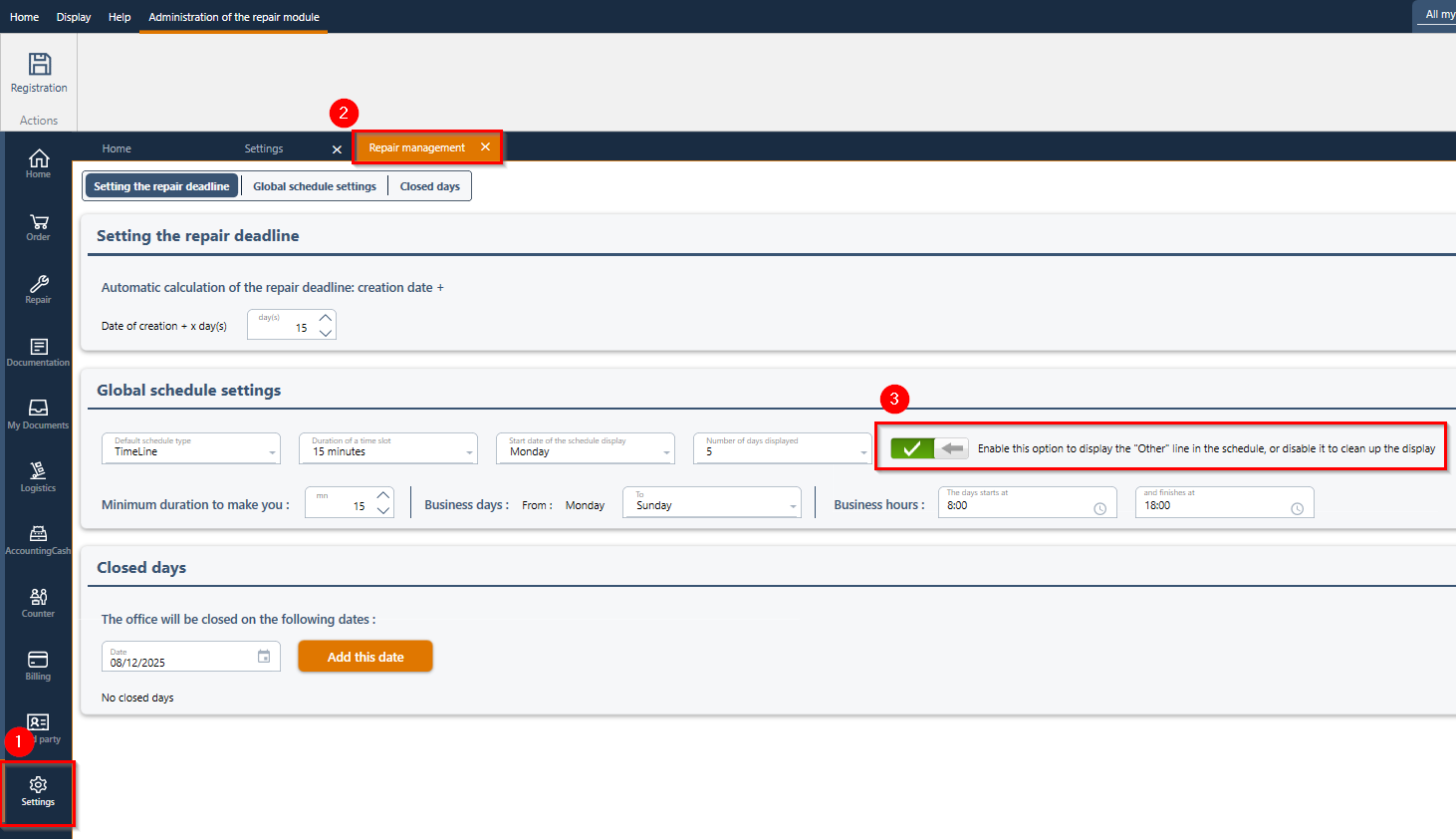

4/ Click on "Registration" at the top left to apply the changes.
5/ When the display setting is disabled, the "Other" line is no longer visible in the general schedule, nor in the schedule opened from an intervention folder.
Was this article helpful?
That’s Great!
Thank you for your feedback
Sorry! We couldn't be helpful
Thank you for your feedback
Feedback sent
We appreciate your effort and will try to fix the article