It is possible to create shortcuts for repair codes, which will then allow you, from the intervention files, to use these codes to fill in the 'Repair' section of the intervention file more quickly.
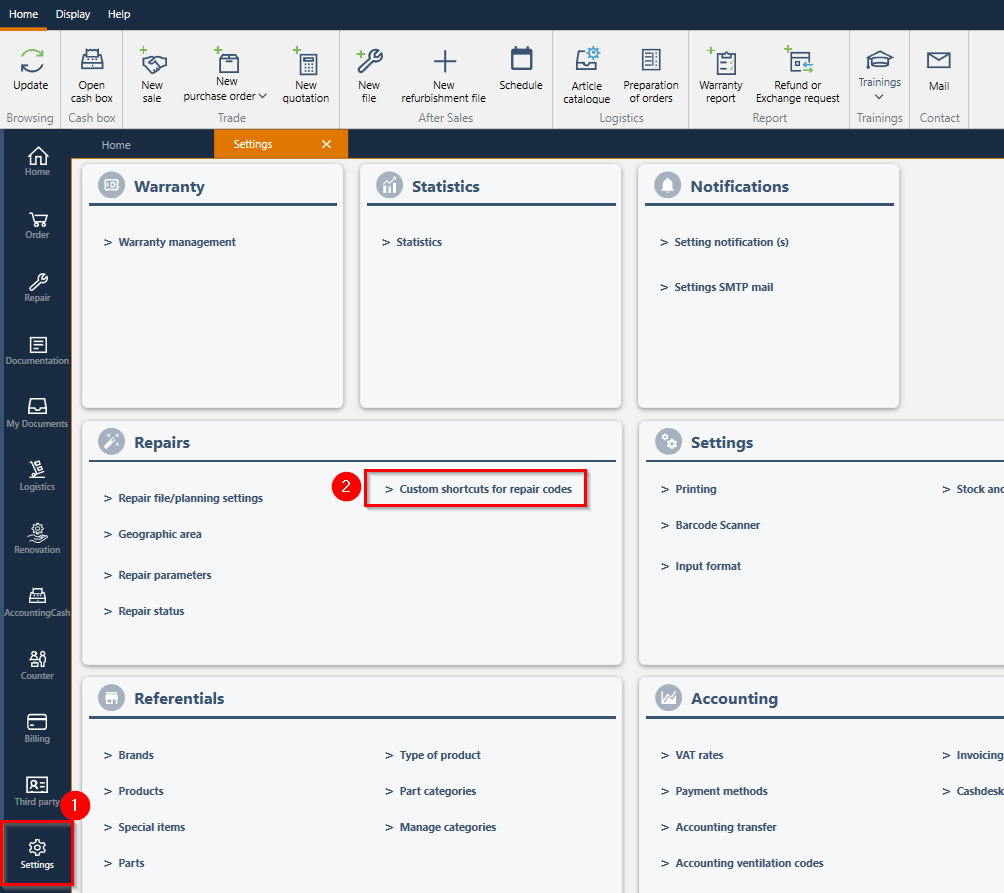
1/ From the "Settings" module
2/ Then, click on "Custom shortcuts for repair codes" :
3/ Click at the top on "Add a shortcut"
4/ The shortcut creation popup for the shortcut you want to create opens to be completed :
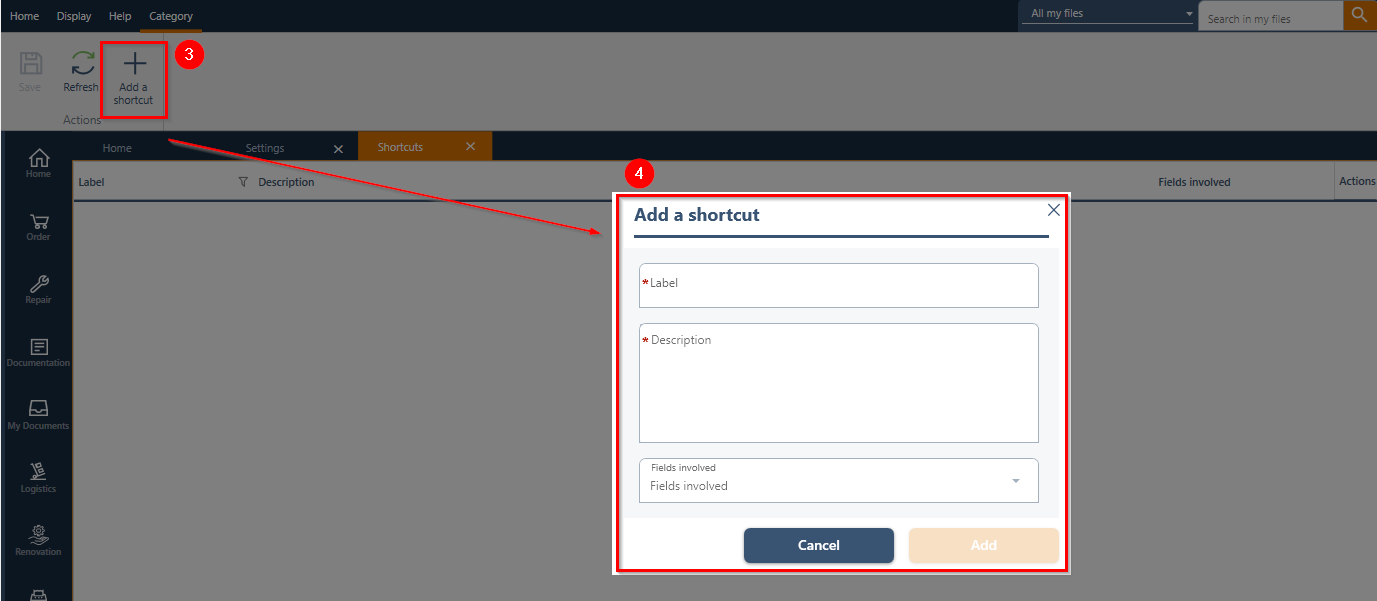
This creation pop-up allows you to create a label that will be linked to a description and can be available depending on the relevant field (from the repair section): Symptom and/or Comment and/or Diagnosis and/or Work performed
Note: multiple "relevant fields" can be checked for the same label/description
Example :
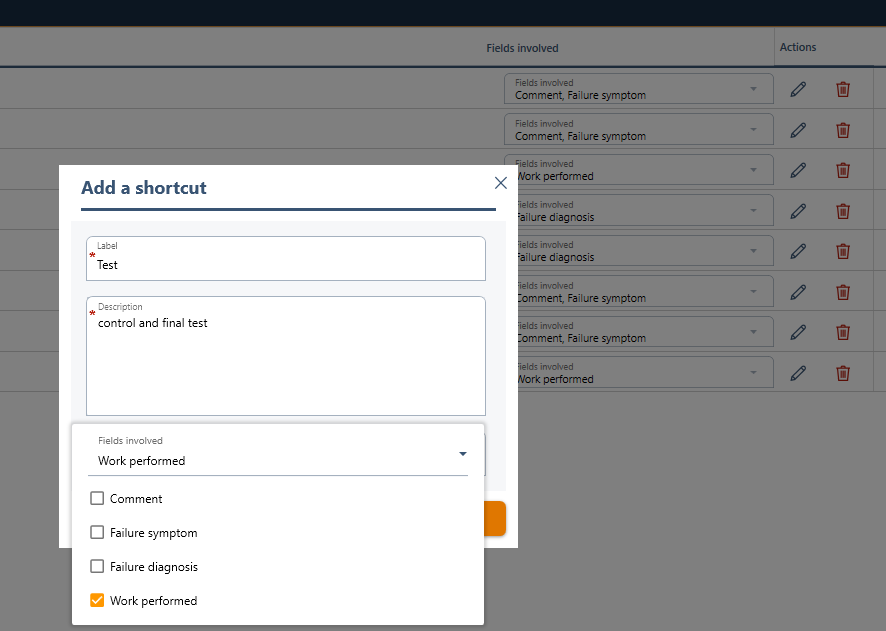
and click on "Add" :
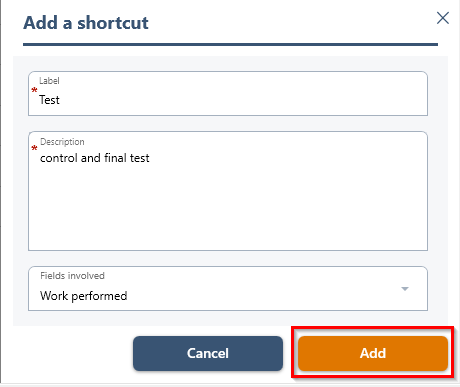
5/ Repeat this process for all the shortcuts you want to create
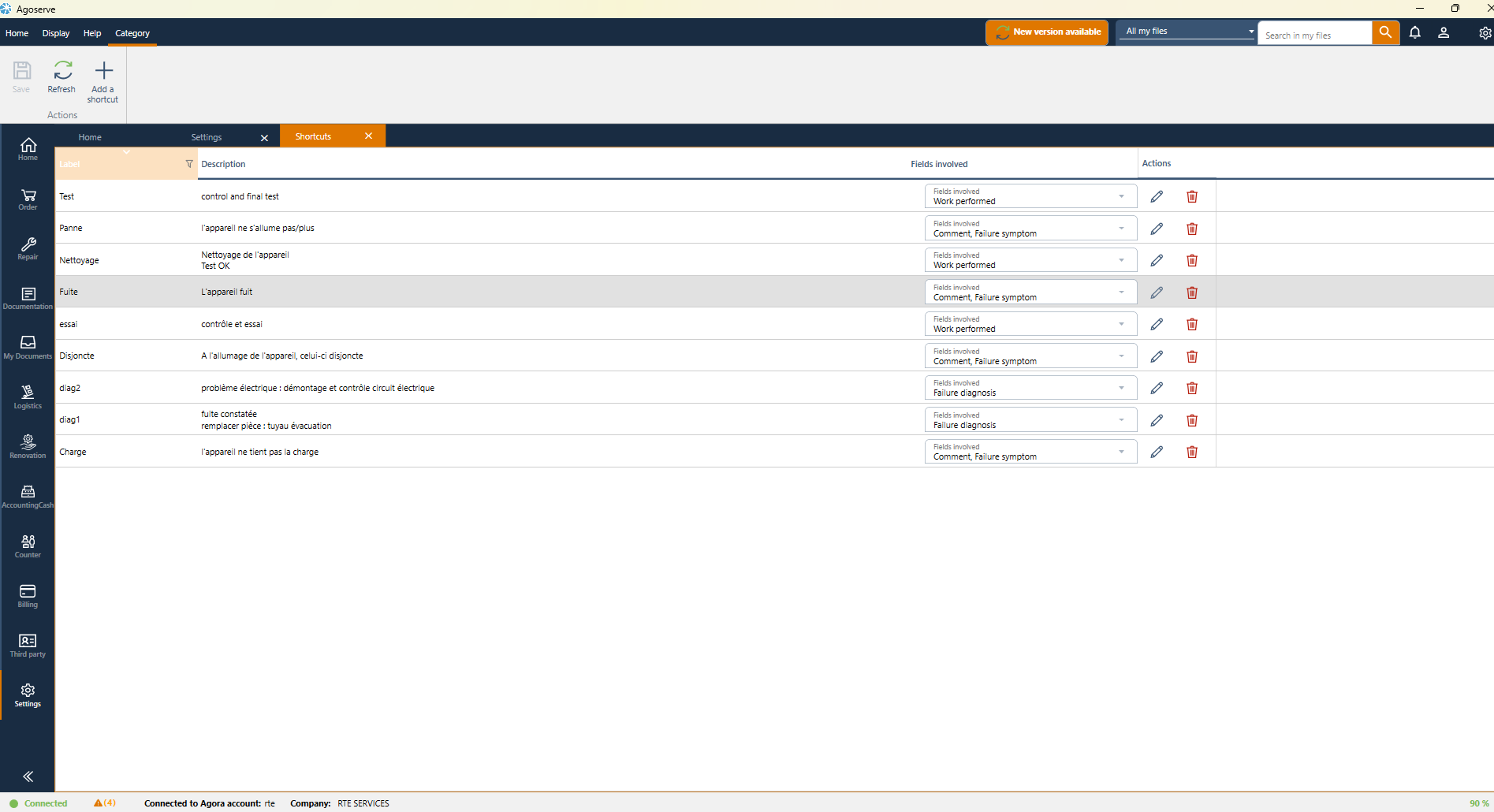
Note: once created, these shortcuts can be edited and/or deleted
Was this article helpful?
That’s Great!
Thank you for your feedback
Sorry! We couldn't be helpful
Thank you for your feedback
Feedback sent
We appreciate your effort and will try to fix the article